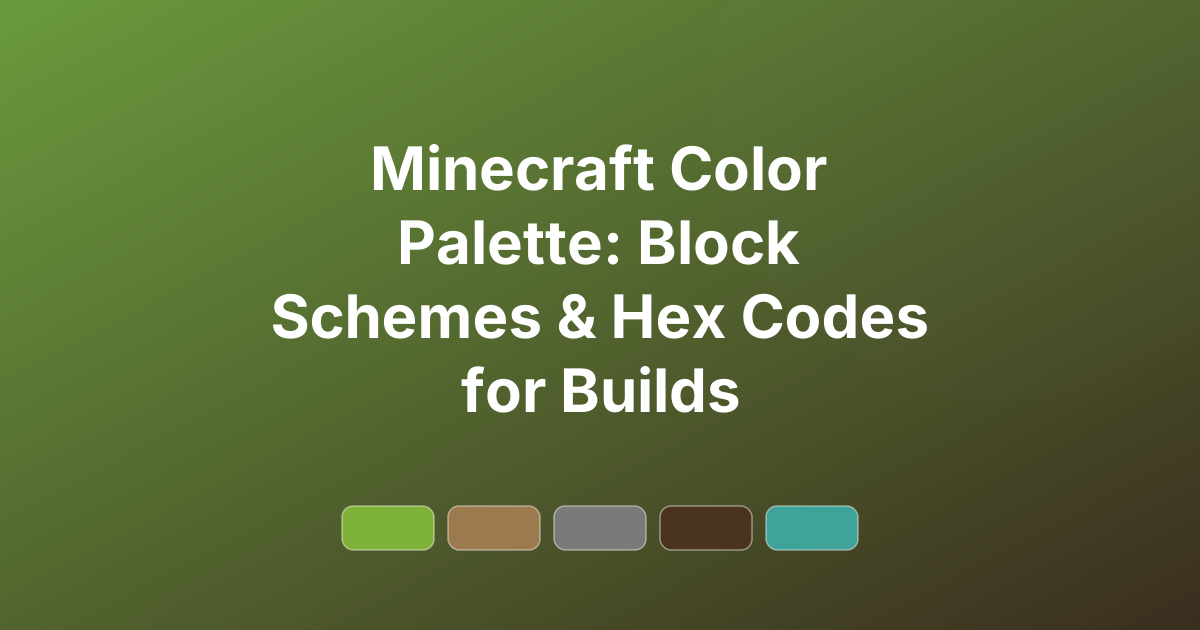
Minecraft Color Palette: Block Schemes & Hex Codes for Builds
Minecraft color palettes with approximate hex codes — block-based schemes for medieval, modern, fantasy and desert builds, plus block-pairing tips.
Great Minecraft builds are not just about shape — they are about colour. Choosing a coherent Minecraft color palette before you start placing blocks is the difference between a build that looks messy and one that looks designed. This guide gives you block-based palettes for popular build styles, with approximate hex codes so you can plan your colours like a designer.
You can also plan and tweak any of these on the PaletteCSS palette browser before you build. (Note: hex values are approximations of in-game block colours, which vary with lighting and texture packs.)
Why plan a palette before you build?
Minecraft gives you hundreds of blocks, and that freedom is exactly why so many builds end up looking chaotic. Picking a limited palette of 4–6 block colours — a main material, a secondary, an accent, and a trim — keeps a build cohesive. The same colour theory that works on the web works here: stick to a mood, use mostly neutral tones, and add one or two accents.
Most strong Minecraft palettes mix:
- A primary structural block — stone, wood, or concrete.
- A secondary material — a contrasting wood or stone for depth.
- An accent block — wool, concrete, or terracotta for colour pops.
- A trim/detail block — stairs, slabs, or logs for edges.
6 Minecraft color palettes (with approximate hex)
1. Medieval Village
Oak, stone, and dark wood — the classic survival look.
#9C7A4D · #7A7A7A · #4A3420 · #D8C9A3 · #3A3A3A
2. Modern House
White concrete, grey, glass, and warm wood.
#E9ECEF · #9AA0A6 · #3A3F44 · #B98A4E · #1C1F22
3. Fantasy Build
Purple, prismarine, and warm glow blocks.
#7B4FA3 · #3FA39A · #E0B84C · #2E2A4A · #CDB8E8
4. Desert Build
Sandstone, terracotta, and warm clay.
#E4D2A0 · #C98E5A · #9C5A3C · #6E4226 · #EFE6CC
5. Nether Build
Dark reds and warped tones for the underworld.
#6E1A1A · #A93226 · #2B1A2E · #3FA39A · #1A1012
6. Cherry Blossom
Soft pinks with pale wood — using the cherry blocks.
#F2C6D4 · #E79AB4 · #E9DCC9 · #7A5C46 · #4A3A2E
How to use these palettes
Keep the hex codes handy as a reference while you gather materials, or save them as CSS variables if you are documenting a build or making a build guide site:
:root {
  --mc-primary: #9C7A4D; /* oak */
  --mc-stone:   #7A7A7A;
  --mc-accent:  #4A3420; /* dark oak */
}
Tips for color in Minecraft builds
- Limit your blocks. Pick 4–6 block types and stick to them across the whole build.
- Use texture for depth. Mix smooth, chiselled, and stair variants of the same colour for detail without new hues.
- Add one accent. A single bright wool or concrete block draws the eye — use it sparingly.
- Mind the biome. Make sure your palette suits the surrounding terrain.
Frequently asked questions
What blocks make a good Minecraft palette?
A strong palette uses a primary structural block (stone or wood), a contrasting secondary, an accent (wool, concrete, or terracotta), and a trim block for edges and detail.
How many block colors should a build use?
Around 4–6 is ideal. Fewer can look flat; more tends to look messy. Texture variants of the same colour add depth without adding hues.
Are the hex codes exact Minecraft block colors?
They are approximations. In-game colours shift with lighting, shaders, and texture packs, so use the hex codes as a planning reference rather than an exact match.
Plan your next build. Tweak any of these on PaletteCSS, or explore more aesthetic color palettes for inspiration.